

Hreflang is an HTML/HTTP header/sitemap tagging method that tells search engines about the different language and/or country versions of a page. When hreflang is implemented correctly, Google can decide more clearly which URL to show based on the user’s language and location.
What Is the Hreflang Tag?
The hreflang tag is an SEO signal that points to alternative URLs published for different language (such as tr, en, de) or country targets (such as tr-TR, en-US) of the same content.
In more detail: hreflang is not used to solve duplicate content; it is used to serve the correct version to the correct user. So it should not be confused with canonical; while canonical says “there is a single correct URL,” hreflang says “there are multiple correct URLs, choose based on the target.”
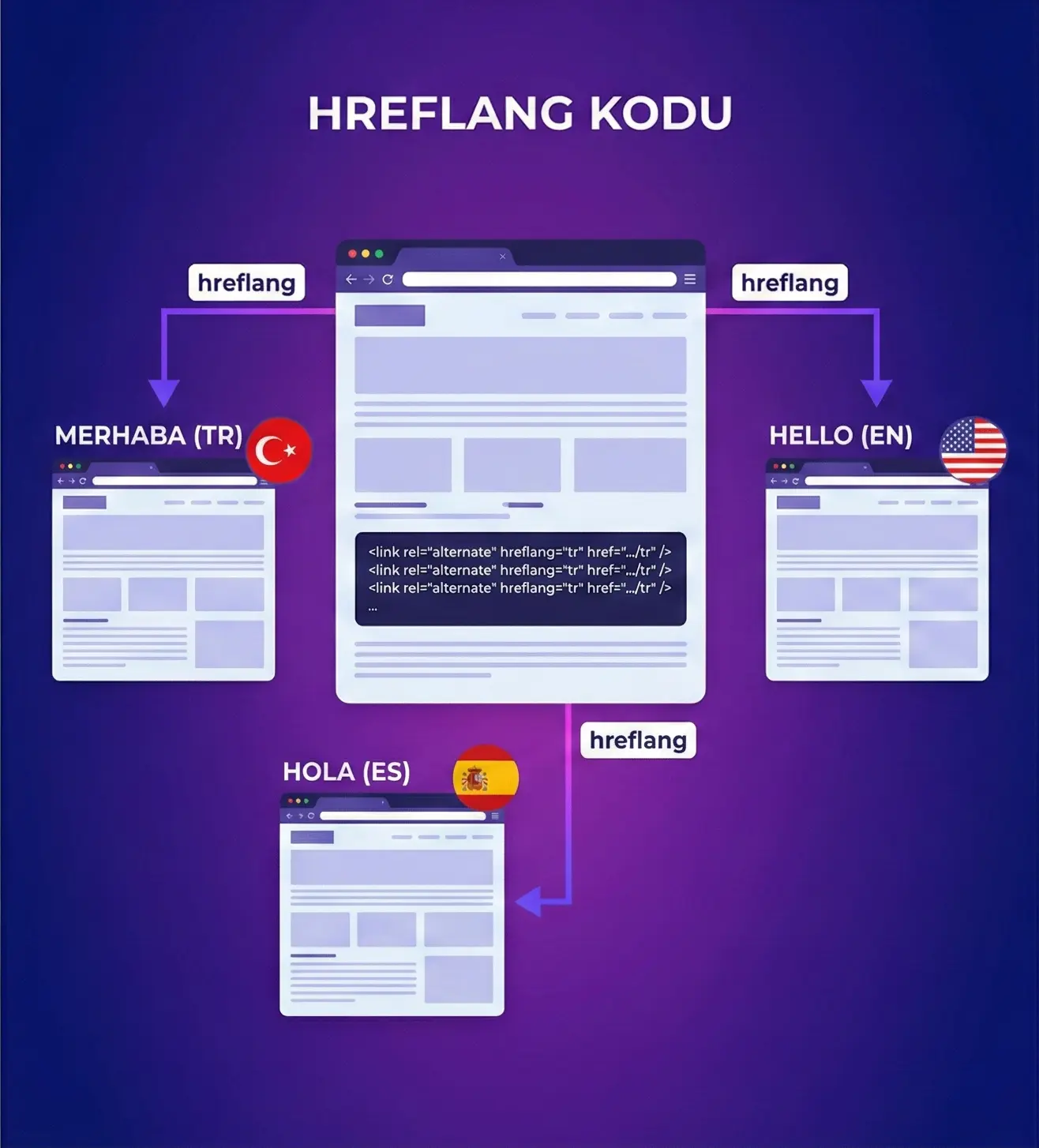
At this point, you can implement “hreflang tags” in three ways:
- With HTML <link rel=”alternate” hreflang=”…”>
- With HTTP headers (especially for non-HTML content like PDFs)
- Through the XML sitemap
How to Build a Hreflang Setup?
A hreflang setup should be built so that each language/country version mutually (reciprocally) references the others.
The most common mistake in practice: A page references page A, but page A does not reference it back. In this case, the “hreflang tag” signal may weaken or be ignored.
1) Choose the correct language and country codes
Define your language/country targeting using ISO codes and use them consistently.
- Language only: tr, en, de
- Language + country: tr-TR, en-GB, en-US
- General target: x-default (for users whose language/country doesn’t match)
2) Match URLs one-to-one
All alternatives for each page must be included in the same set.
Example setup (3 versions + x-default):
- TR: https://site.com/tr/urun/
- EN: https://site.com/en/product/
- DE: https://site.com/de/produkt/
- x-default: https://site.com/
3) Example of adding hreflang tags to HTML
Add all alternatives into the <head> section of each page. Example:
<link rel=”alternate” hreflang=”tr-TR” href=”https://site.com/tr/urun/” />
<link rel=”alternate” hreflang=”en-US” href=”https://site.com/en/product/” />
<link rel=”alternate” hreflang=”de-DE” href=”https://site.com/de/produkt/” />
<link rel=”alternate” hreflang=”x-default” href=”https://site.com/” />
4) Don’t forget the reciprocal rule
If the TR page references EN, the EN page must also reference TR. This rule is the most overlooked—but most critical, point in hreflang SEO.
5) Don’t conflict with canonical
The canonical of each language/country page should point to itself. A wrong canonical reduces hreflang’s impact.
For example, if the canonical of the English page points to the Turkish page, Google may say “the EN version isn’t canonical anyway.” In this case, search engines may get confused about which page to serve to users.
Also see. What is Canonical URL?
Hreflang Check Methods
A hreflang checker should definitely be used after implementation, because even a small code issue can cause Google to ignore the hreflang tags signal.
1. Manual Check
Check the hreflang tags inside the <head> in the page source code.
Detailed checklist:
- Are the codes correct? (such as tr-TR / en-US)
- Do the URLs return 200?
- Are all alternatives included?
- Does x-default point to a sensible URL?
- Is there reciprocal referencing?
Extra tip: Check with “View Source” in the browser; if some systems add tags later via JS, they may not appear in the source.
2. Screaming Frog
Use Screaming Frog to scan hreflang reports and view issues in bulk. Screaming Frog is especially good at quickly catching:
- Missing return links (missing reciprocal)
- Hreflang to non-200 URL (404/301/500)
- Inconsistent language-region codes
- Canonical mismatch
Practical steps:
- Crawl the site
- Filter reports in the “Hreflang” tab
- Export issues and create a fix list
3. Ahrefs or Semrush
Use Ahrefs or Semrush site audit to automatically report hreflang issues. These tools work like a “hreflang checker” by categorizing hreflang errors in the audit section.
Advantages:
- Periodic scans
- Historical issue comparisons
- Prioritization (critical/medium/low)
Why Is the Hreflang Tag Important?
The hreflang tag is important because it prevents the wrong country/language page from ranking in multilingual/multi-country sites and helps avoid a drop in user experience.
SEO benefits of the hreflang tag:
- Increases the likelihood of showing the correct language/country page to the user
- Reduces conversion loss caused by the wrong version ranking
- Makes international SEO performance more “controlled”
- Can reduce competition between different versions of the same content in the SERP (it won’t eliminate it completely, but it can balance it)
When Is It Necessary?
- If the same product/service is published in different languages
- If the same language has different prices/currencies/shipping conditions across different countries (en-US vs en-GB)
Conclusion
Hreflang provides a clear answer to the question “which page should be shown to which user?” in multilingual/multi-country sites; with the right setup (reciprocal matching + 200-status URLs + self-canonical) and regular hreflang checker audits, you can significantly reduce the risk of the wrong language/country page ranking.
If you want to plan hreflang tags implementation from scratch on your site, audit the existing setup and fix errors, and build the country/language strategy correctly on the hreflang SEO side, you can contact me for SEO consultancy.